For HubSpot Super Admins
Turn on HubSpot reports for Askling
HubSpot keeps report names and dates closed until a Super Admin turns the Reporting API beta on.
- About 1 minute
- Super Admins only
- Names and dates only
- Undo any time
Four steps in HubSpot
-
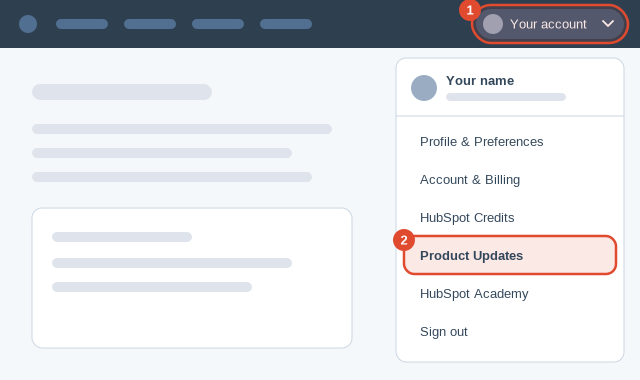
Click your account name, top right, then Product Updates
-
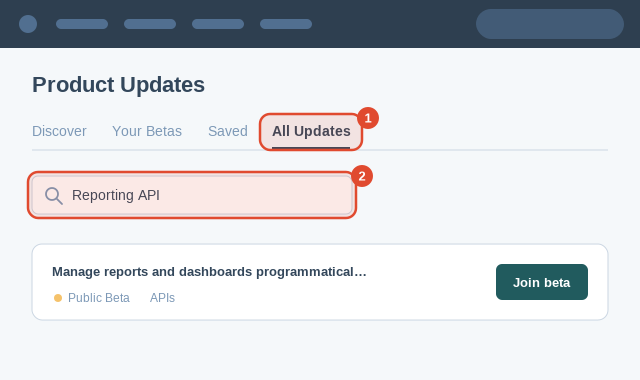
Click All Updates and search Reporting API
-
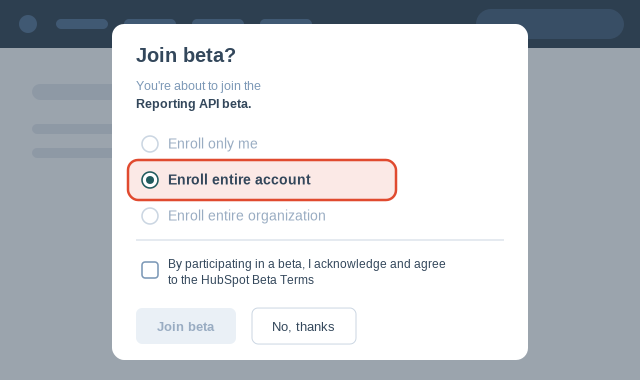
Click Join beta and pick Enroll entire account
Not Enroll only me
-
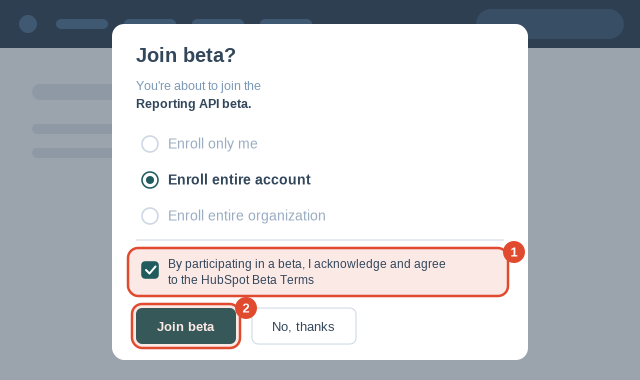
Tick the terms and click Join beta
What Askling reads
Report names and dates. Never the numbers in a report, never a contact, and Askling writes nothing to HubSpot.
What happens after
Askling checks by itself and starts reading your reports at once. Nothing else to do.